
If your rankings moved this week, you are not imagining it. Google began rolling out its November 2026 core update on November 10. Whether you run a blog, a service business or an online store, this update can change how your pages perform in search.
One of the biggest mistakes right now is making widespread content changes before you understand what has actually changed. This guide explains what is confirmed, how to monitor the update calmly, and what to do once it finishes.
What Is the November 2026 Core Update?
A core update is a broad change to the systems Google uses to assess and rank content across the web. Unlike a targeted fix, it does not go after one specific problem. It adjusts how Google evaluates quality and relevance overall.
Here is what Google has confirmed about this one:
- Start date: November 10, 2026, at about 10:06 a.m. Pacific Time
- Scope: It applies globally and to all languages
- Duration: Google says the rollout may take up to two weeks, which points to about November 24 (an estimate, not a confirmed end date)
- Context: It is the third core update of 2026, after the March and May updates
It also arrives after a long wait. About 173 days passed between the start of the May core update and the start of this one, one of the longest gaps between core updates in recent years. That gap was not a quiet period, because Google kept releasing other updates. One of those was a spam update, which ran from September 24 to October 8, 2026. That was a separate system, and it is not the same thing as a core update.
What Google Has Not Said
Google has confirmed the rollout, its global scope and the expected duration. It has not named specific content types, industries or ranking factors that this update targets. Claims about who wins or loses are industry observations, and you should treat them that way until the data settles.
Is a Core Update a Penalty?
No. A core update is not a penalty, and it is not a manual action against your site. Nothing is “wrong” with your website just because rankings dropped.
What happens is a reassessment. Google gets better at judging which content best satisfies a search, so some pages rise and others fall. A page that drops has not necessarily been punished. Often, other pages were simply judged more helpful for that query.
This distinction matters because it changes your response. A penalty needs a fix and a recovery request. A core update needs a patient, honest review of your content quality.
How Long Will the Rollout Last?
Google says up to two weeks, but history shows that estimate is not a guarantee. Looking at recent core updates:
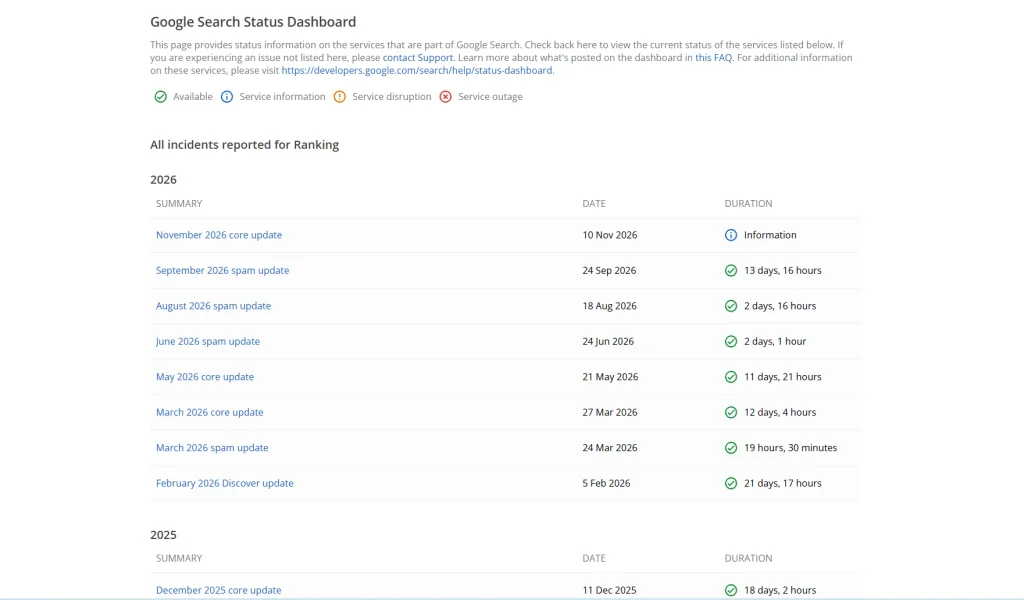
- The May 2026 update took about 12 days
- The March 2026 update took about 12 days
- The December 2025 update took about 18 days
- 8 of the last 16 core updates ran longer than 14 days (Search Status Dashboard history)
So plan for the rollout to finish around November 24, but do not be surprised if it runs longer. Past durations do not predict this rollout. The update is only over when Google marks it as complete on the Search Status Dashboard.
Update Timeline
| Date | Development |
|---|---|
| Nov 10, 2026 | Google starts the rollout (incident logged at 10:06 a.m. Pacific Time) |
| Nov 24, 2026 | End of Google’s up-to-two-weeks estimate, not a confirmed end date |
| Status at publication | As of November 15, 2026, the Search Status Dashboard lists the update as released on November 10 with no completion entry. The rollout is not confirmed complete. |
| After completion | Google marks the update complete on the dashboard. Wait about a week, then compare. |
What to Do During the Rollout
While the update is rolling out, rankings can swing up and down. Some of that movement reverses as the rollout settles. Your job right now is to observe, not to react.
1. Record your baseline
Save a snapshot of your performance from before November 10. In Google Search Console, export your Performance report for the previous few weeks, including queries and pages. You will need this to make a fair comparison later.
2. Do not judge the results yet
Google’s guidance is to wait until the update is complete before assessing its impact. Early numbers can mislead you, because the update is only partly applied while it rolls out.
3. Note the exact start time
Any ranking movement before the update was announced on November 10 was not caused by it. If your traffic dropped on November 7 or 8, look for another cause, such as a technical issue, a seasonal change or the earlier spam update.
4. Watch your most valuable search results
Pick the 10 to 20 queries that matter most to your business. Check them manually now and then, and notice which types of pages are ranking above and below you. This shows you the page types and SERP features behind the numbers, and complements your rank tracker.
5. Rule out technical problems
Before blaming the algorithm, make sure your site is healthy. Check that your important pages are still indexed, that nothing is blocking crawlers, and that your server is responding normally. These two guides can help:
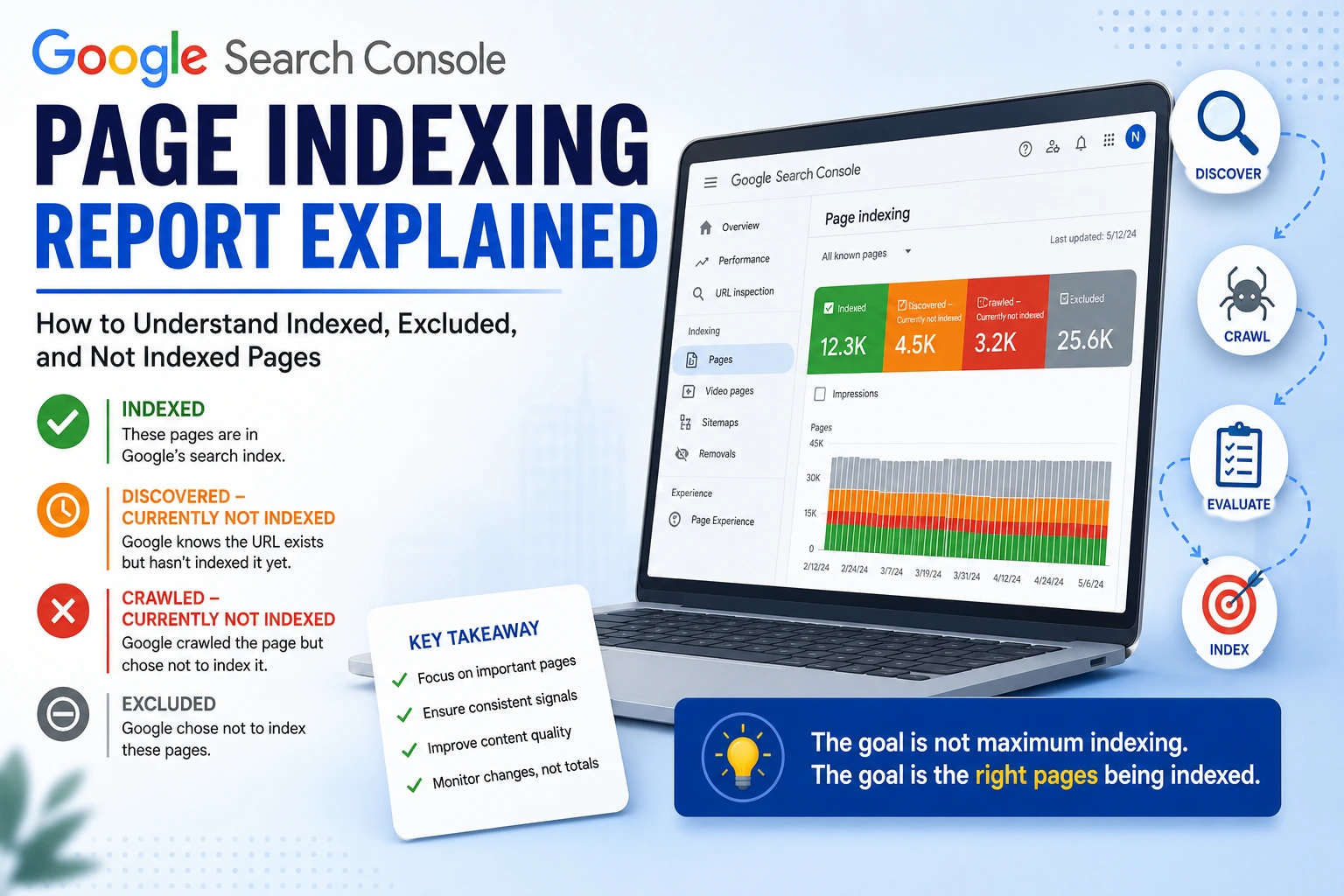
- Google Search Console Page Indexing Report Explained
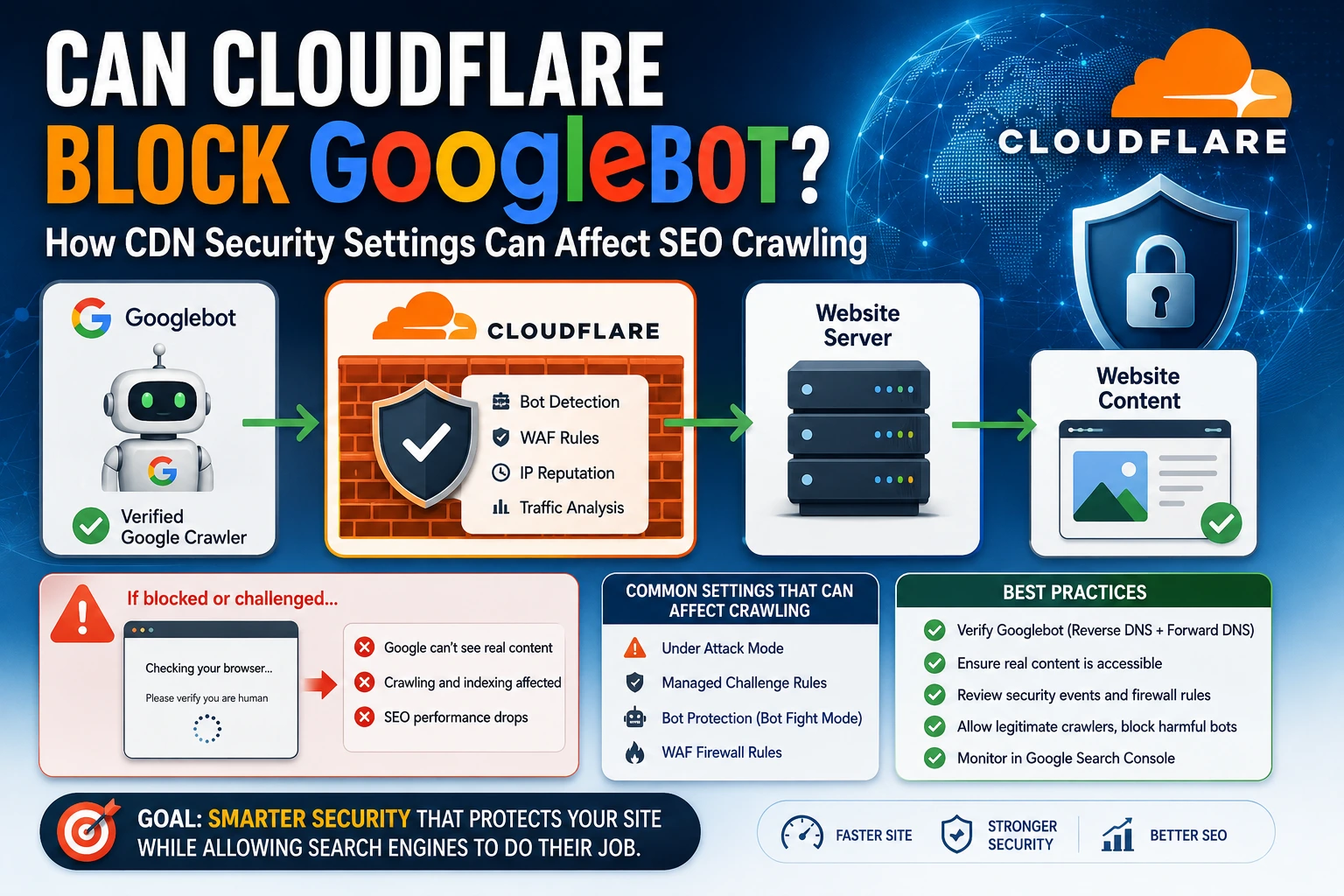
- Can Cloudflare Block Googlebot? How CDN Security Settings Can Affect SEO Crawling
A core update is a ranking update. If a page drops out of the index or Google stops crawling it, investigate that separately instead of blaming the update. Use this checklist:
| Area | What to check |
|---|---|
| Indexing | Are your important URLs still indexed? |
| Robots.txt | Is any important section accidentally blocked? |
| Canonicals | Do canonical tags point to the correct URLs? |
| Redirects | Have key URLs picked up redirect chains or loops? |
| Server response | Are there 5xx errors or availability problems? |
| Rendering | Can Google access the main content of the page? |
| Internal links | Have important pages lost links from related content? |
| Recent deployments | Were templates, URLs or page structures changed recently? |
| Manual actions | Does Search Console report a separate manual action? |
What Not to Do
These reactions can make it harder to diagnose what changed and may add new problems:
- Do not delete lots of content in a panic. Removing pages that were performing fine can hurt you.
- Do not rewrite everything at once. You will not be able to tell what helped and what hurt.
- Do not chase quick tricks. Core updates reward long-term quality, not shortcuts.
- Do not buy links or publish mass AI content to recover. That can create a bigger problem than the one you are trying to solve.
- Do not compare today to yesterday. Compare equal periods, and only after the rollout ends.
How to Measure the Impact in Google Search Console
Once the update is complete, wait about a week. Then compare equal time periods. Google’s own suggestion is to compare the week after the rollout ends with the week before it started.
Here is a simple process:
- Open Search Console > Performance > Search results.
- Set a date range for the week after the update finishes.
- Use Compare to select the week before November 10.
- Review Pages first, then Queries, sorted by the change in clicks.
- Look at impressions and average position, not just clicks. A page can lose clicks while keeping its position if an AI feature or a different result format takes attention. Search Console shows what changed, not why, so confirm the cause by checking the results page yourself.
- Segment by device, country and search appearance to see where the change is concentrated.
The pattern matters more than any single number. Did one topic area fall while others held? Did only informational pages move? Did a whole section of the site shift together? These clues point to the real cause.
Read the Pattern, Not Just the Number
Clicks alone do not explain what happened. Compare clicks, impressions, average position and CTR together:
| Pattern | Possible explanation | What to investigate |
|---|---|---|
| Clicks down, impressions stable | CTR decline | SERP layout, titles, snippets, competing result features |
| Impressions down, position stable | Lower demand or fewer visibility opportunities | Seasonality, query demand, SERP changes |
| Impressions down, position down | Loss of ranking visibility | Competitors, intent match, content relevance |
| Clicks and impressions down across one directory | Section-wide issue | Content quality, technical changes, internal linking |
| Rankings stable, conversions down | Traffic quality or conversion problem | Landing page experience, pricing, user journey |
These are clues, not verdicts. Several different causes can produce the same pattern.
Before you change anything, work out three things: how wide the drop is (sitewide, one directory, a few URLs, one country or device), which metric moved, and what changed in the results themselves, such as which competitors or page types now rank and whether AI features changed the layout. Only then choose a response: a content fix, a better intent match, a technical fix, stronger internal links, consolidation, or no action if the movement is small or temporary.
Account for Seasonality Before Blaming the Core Update
This update is expected to finish close to Black Friday (November 27) and Cyber Monday (November 30). A shop that goes from 1,000 to 1,500 organic clicks has not necessarily been rewarded by Google, because shopping demand alone can explain the jump. The reverse can happen for businesses that slow down in late November.
To avoid false conclusions:
- Compare equivalent weekdays.
- Review year-over-year performance where you have the history.
- Check the normal seasonal demand for the affected queries.
- Separate branded and non-branded organic traffic.
- Factor in promotions, product availability and other business changes.
- Look at conversions and revenue, not only clicks.
This matters most for ecommerce, travel, food and other seasonal businesses.
If Your Rankings Dropped: A Post-Update Audit
If you lost visibility after the update ended, work through this checklist.
Check search intent
Search your lost keywords and study what now ranks. Are the top results guides, product pages, comparisons or tools? If the type of page changed, your content may no longer match what searchers want. Our guide to keywords, search intent and topical authority explains how to read this properly.
Judge your content honestly
Ask the hard questions:
- Does this page give something original, or does it repeat what everyone else says?
- Does it show real experience, such as examples, data, screenshots or lessons learned?
- Is it complete, or does it leave the reader needing to search again?
- Is the information current and accurate?
- Would you trust this page if you did not own it?
Look for thin or overlapping pages
Pages that serve the same search intent with overlapping value may be worth consolidating. Check each page’s performance, purpose and backlinks first, and use redirects where you merge.
Strengthen trust signals
Make it clear who wrote the content and why they are qualified. Add an author profile, an about page, contact details and sources for important claims. This matters most for topics where accuracy affects people’s money, health or safety.
Treat these as signals of transparency and trust, not a ranking button. An author bio will not rescue weak content. Google’s guidance on helpful content suggests asking:
- Who created this content, and is that clear to the reader?
- How was the information researched or produced?
- Why does the page exist: to help readers or to attract search traffic?
- Does it add first-hand experience or original insight beyond what already ranks?
- Are important claims supported by trustworthy sources?
For topics that affect health, money or safety, accuracy matters even more. And content built on your own tests, data or case notes is far stronger than content collected from other websites.
Improve the experience
Check page speed, mobile layout, intrusive pop-ups and ads that push the content down. A helpful page should be easy to read and use.
Review internal linking
Make sure your best pages are linked from related content with clear, descriptive anchor text. Good internal links help both users and search engines understand your site’s structure.
Worked Example (Illustrative)
This is a hypothetical case, not research on the November update. An ecommerce site loses 25% of its organic clicks. Instead of rewriting every product description, the SEO specialist:
- Finds which product categories lost the most clicks.
- Compares clicks, impressions, CTR and average position for those categories.
- Checks which competitors gained visibility.
- Looks at whether the search intent or the SERP layout changed.
- Checks indexing, canonicals and recent technical deployments.
- Identifies the actual cause before recommending any change.
Only then does the work begin, and it is aimed at the cause the data points to.
If Your Rankings Improved
Good news is still worth studying. Look at which pages gained and ask why. Then apply the same qualities to your weaker pages. Do not assume the gains are permanent, because core updates are repeated several times a year and your competitors will keep improving.
Ask what the winning pages have in common: a clearer match to search intent, fuller topic coverage, stronger internal links or more original detail. Then check the gains against seasonal demand before you celebrate.
How AI Search Changes the Way You Read Core Update Results
Google’s results now include AI-generated answers alongside traditional listings, so a change in clicks does not always mean a change in rankings. A page can hold its position and still lose clicks when an AI answer or another result format takes attention, so read clicks, impressions, position and CTR together.
Treat these as separate visibility channels: traditional organic results (the rankings core updates affect), Google AI Overviews and AI Mode, and third-party tools such as ChatGPT and Perplexity. Appearing in a ChatGPT answer does not mean you gained Google rankings, and a rankings gain does not guarantee AI citations. Measure each on its own, and treat AI visibility numbers as directional, because no platform offers complete data.
SEO, GEO and AEO share principles such as clear, accurate and useful information, but their measurement and optimization methods differ. For the bigger picture, read our guide: SEO, GEO and AEO: The Complete Guide to Search Visibility in the AI Era.
Quick Checklist
- Export a pre-update baseline from Search Console
- Wait until Google marks the rollout complete
- Wait about one more week before judging results
- Compare equal periods, before and after
- Check technical health and indexing first
- Review intent, quality, trust and experience on affected pages
- Make focused improvements, not sweeping changes
Frequently Asked Questions
When did the November 2026 core update start?
It started on November 10, 2026, at about 10:06 a.m. Pacific Time, and it applies globally to all languages.
When will it finish?
Google says it may take up to two weeks, which points to around November 24, 2026. The update is only finished when Google confirms it on the Search Status Dashboard.
Is this update a penalty?
No. A core update is a broad reassessment of content, not a manual action or a penalty against your site.
Can a website recover after a core update?
Recovery is possible, but it is not guaranteed. Start by identifying which pages and queries lost visibility, understand why competing pages perform better, and improve the affected content where it is genuinely weaker. Results can take several months to show, and some improvements may only be reflected in a later core update. Quick fixes rarely work.
Should I change my site while the update is rolling out?
Make necessary fixes, such as technical errors, but avoid large content changes until the rollout ends and you have analyzed the data.
How is a core update different from a spam update?
A spam update targets spam practices and policy violations. A core update is a broader change to how Google assesses and ranks quality and relevance.
Does a core update affect every website?
It applies to all sites, but Google says most sites don’t need to worry about core updates and may not notice one happened. Some sites gain, some lose, and rankings can keep shifting until the rollout settles.
Should I update old blog posts after a core update?
Only after you have analyzed which pages lost visibility and why. Update pages where you can add real value, such as fresh data, first-hand experience or a better match to search intent. Leave pages that are performing well alone.
Final Thoughts
Core updates feel stressful because they are unpredictable, but the right response is always the same: stay calm, gather data, wait for the rollout to finish, and then improve your content based on evidence. Consistently creating useful, reliable and original content is a sustainable approach to search visibility. No content strategy guarantees stable rankings, though, because Google’s systems and user expectations keep evolving.
Sources and Method
- Google Search Central: core updates
- Google Search Status Dashboard
- Search Console Help: Performance report
- Google Search Central: creating helpful content
Google confirmed the start date, the global scope, the all-languages coverage and the up-to-two-weeks estimate. The diagnostic tables, checklists and examples in this article are analysis and practical experience, not statements from Google. Last verified November 15, 2026.