
On November 10, 2026, OpenAI opened a beta called Businesses in ChatGPT. Through Business Hub, eligible businesses can claim a profile and, after claim approval and the required identity verification, see directly from OpenAI how often ChatGPT mentions them, as OpenAI defines that term, and how many recorded clicks their website links receive.
If you have been guessing at AI visibility with third-party prompt trackers, that is a real change. It is also easy to over-read. This guide explains what the Hub shows, what it leaves out, how to claim your business, and how to track the numbers without fooling yourself.
What Is the ChatGPT Business Hub?
Business Hub is the portal inside Businesses in ChatGPT. After its claim is approved and Persona identity verification is complete, a business can:
- Update its business details
- Add product feeds with prices and availability
- See aggregated reporting on mentions and website clicks
OpenAI frames the program as a way to reach the 1.2 billion people who use ChatGPT each week. That is OpenAI’s own figure.
There is a companion product called Business Agents: branded chat assistants that eligible ecommerce and online service businesses in the United States can build, and that ChatGPT Ads can send people to. Agents are US-only for now. The Hub itself is open to eligible businesses in places where ChatGPT operates, subject to OpenAI’s industry, location and verification requirements. Availability varies by business type: eligible online businesses with a website may be able to add a new profile, while local stores and restaurants can currently claim only an existing US listing. It is a beta, so details can change.
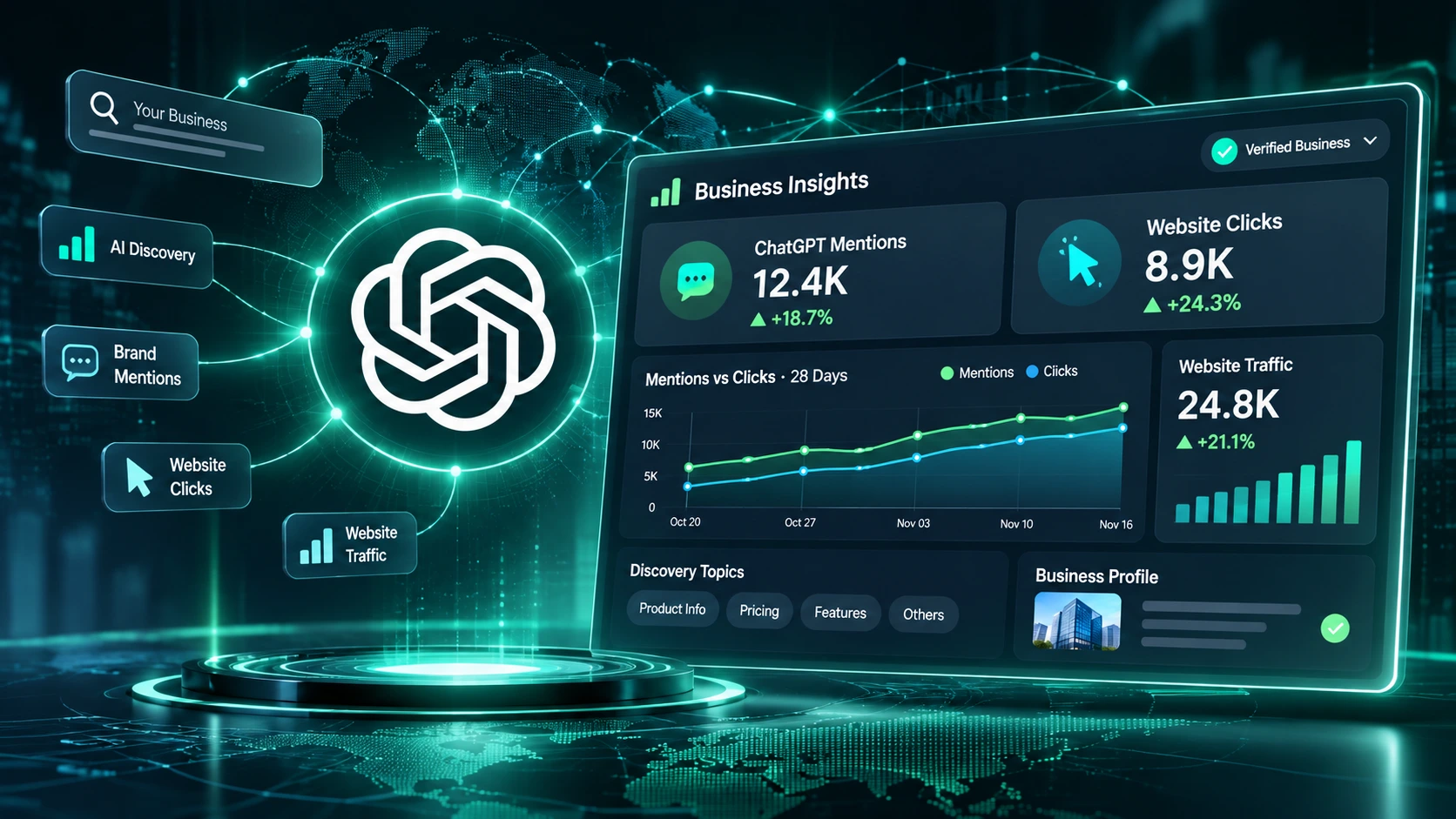
What the Dashboard Shows
| Metric | What it tells you | What it does not tell you |
| Mentions | For an online business, how often ChatGPT referenced your website (the brand name alone does not count). For a local business, how often ChatGPT showed a result for your location, even if the customer did not open the listing or visit the website. | The prompts behind each mention, or whether repeated appearances in one conversation count once or several times |
| Website clicks | Recorded clicks on links to your site | Whether the visit happened or led to a conversion (an early Business Hub dashboard tooltip cautioned that recorded clicks do not confirm website visits or conversions) |
| Profile views | A profile-view figure shown in some dashboards | How profile views are counted: OpenAI has not documented it, and the tile was not consistently shown in the first live dashboards |
| Discovery topics | Common themes in conversations where your website is cited | Exact queries, or any competitor data |
For online businesses, this means the mention count is not a complete measure of brand-name visibility. ChatGPT can mention a brand by name without referencing its website, and that mention may not count.
OpenAI’s example dashboard showed a seven-day view, and early live dashboards displayed 28-day data. OpenAI’s Help Center says Insights show aggregate activity over the past 28 days. Some dashboards shared around launch showed data through November 9, so reporting may not be real-time. OpenAI has not published an update schedule. OpenAI also says insights are aggregated and appear only when there are enough conversations to meet thresholds it has not quantified. A blank tile does not necessarily mean zero activity, since the data may be below the reporting threshold, still being collected, or not yet available. A small business may see empty tiles at first. OpenAI does not share conversations with businesses.
What the First Numbers Suggest
The first publicly shared dashboards offer an early look at how website clicks compare with reported mentions. They are useful examples, not a representative benchmark:
- One business reported 690 mentions and 24 website clicks over 28 days.
- Another reported 28 mentions and 1 click.
- In both cases, clicks equal about 3.5% of the reported mention count.
- Search Engine Journal’s own account showed 353,356 mentions and 2,663 clicks between October 14 and November 10, which equals under 1% of the reported mention count.
OpenAI’s sample dashboard for a fictional toy shop shows a much higher ratio, about 35%. It is an illustration, not a typical result.
The lesson is not that 1% or 3.5% is normal. A handful of public dashboards is not a benchmark. In these examples, mentions far outnumbered clicks, but the gap varies widely between businesses, so judge your own data by its trend over time, not by anyone else’s ratio.
How to Claim Your Business
Have your business phone, business email, domain DNS settings or Shopify store ready before you start. The steps, as OpenAI’s Help Center describes them:
- Find your business. Search for your name inside Business Hub and select the existing entry, or add an eligible online business. Local stores and restaurants can currently claim only existing US listings. You must own the business or be authorized to represent it.
- Choose a verification method. OpenAI lists business phone, business email, website domain and Shopify store. Some launch-day testers reportedly saw fewer options.
- Wait for claim approval. OpenAI emails its decision or asks for more information. At least one launch-day claim was placed on a waitlist, and creating a new physical-location profile can also hit one.
- Complete Persona identity verification. This is required before you can edit your information, connect a product feed, view insights or create an agent. Approval also adds the blue verified badge.
- Review before you submit. If you create a new profile through Persona, OpenAI’s approval publishes it automatically, with no separate publishing step. Only unpublished drafts can be deleted, and OpenAI Support cannot delete, unpublish or hide a published profile. Check your details first.
Agency and team access: The administrator who claims a business can invite teammates and grant an agency access to manage it. Each person should use their own ChatGPT account.
Should You Claim It? My Take
If you are eligible, I would claim it. Claiming gives an authorized representative a way to submit and update the business information shared through Business Hub, plus access to its insights, which are first-party numbers you cannot get elsewhere. OpenAI has also documented a process for disputing ownership if someone else has already claimed your business.
But set expectations honestly. OpenAI’s Help Center says claiming a profile or disputing ownership does not change its visibility in ChatGPT. It also says claiming does not guarantee increased visibility or give businesses direct control over ChatGPT’s independent recommendations. Do not promise clients better placement or more sales just because they claimed a profile.
How to Track It Without Fooling Yourself
- Record a baseline now. Save your 28-day numbers every week, so you have your own history instead of relying on the dashboard’s window.
- Keep it a separate channel. ChatGPT mentions and clicks are not Google rankings. Do not mix them into your Search Console reporting. Our guide to SEO, GEO and AEO explains why these channels are measured separately.
- Compare with your analytics, but do not expect a match. Check your GA4 source and referral reports for ChatGPT traffic, for example by looking for chatgpt.com in your source list (how it appears depends on your setup). OpenAI counts recorded clicks, not confirmed visits, and GA4 depends on attribution, consent and browser behavior, so the two numbers may not match. Treat any gap as normal.
- Use discovery topics as research clues. If the topics associated with your business differ from what you want to be known for, check whether your website and product information communicate those subjects clearly. Treat topics as clues, not proof of a content gap.
- Keep your own pages accurate. Pricing, availability, policies and contact details on your site should match what you submit.
- Report to clients carefully. Present mentions and clicks as a trend, with their limits stated. Do not equate mentions with leads or revenue.
If you also want the Google side of the picture, read our Google November 2026 core update guide.
Business Hub vs Third-Party AI Visibility Tools
Many third-party AI visibility tools work by running a selected set of prompts across AI platforms and recording which brands appear in the answers. Business Hub is different: it reports aggregated activity from real ChatGPT usage, but without the prompts, without competitor data, and with thresholds that can hide small businesses.
Neither replaces the other. A prompt tracker shows how you appear for the prompts you chose, including against competitors. Business Hub provides first-party aggregated metrics for recorded activity within ChatGPT, without revealing the prompts or conversations behind it. If you use both, expect the numbers to disagree, and treat each as a different measurement.
What We Still Don’t Know
Several points are open after the launch:
- How many conversations a business needs before any data appears
- Whether repeated appearances in one conversation count as one mention or several
- How quickly an ownership dispute is resolved
- Whether publishers qualify, since one publisher said the sign-up appeared aimed at businesses selling things
Until OpenAI answers these, treat every conclusion as provisional.
Frequently Asked Questions
Is the ChatGPT Business Hub free?
PPC Land reported that OpenAI’s launch pages mention no fee for claiming a business or publishing an agent. Sponsoring an agent through ChatGPT Ads is a separate advertising activity. I did not find a pricing statement in the sources I reviewed, so check the current terms before you commit, because this is a beta.
Does claiming my business make ChatGPT mention me more?
No. OpenAI’s Help Center says claiming a profile or disputing ownership does not change its visibility in ChatGPT.
Can businesses outside the US use it?
Online businesses with a website may be able to claim or add a profile where ChatGPT operates. Local stores and restaurants can currently claim only existing US listings, and Business Agents are US-only for now. Some claims and new physical-location profiles were waitlisted at launch.
Is it a Search Console for ChatGPT?
It is a useful comparison, but I think it is closer to a brand dashboard. Search Console provides query-level organic search data, subject to privacy filtering. The Hub provides aggregated mentions, clicks and grouped topics, not individual prompts, and no competitor data.
Final Thoughts
Business Hub gives businesses their first official insights into how people engage with them on ChatGPT, and that is worth having. The right response is to claim your profile, record a baseline, and watch the trend, without treating a beta dashboard as proof that your AI visibility is improving or falling.
Sources and Method
- OpenAI: Introducing Businesses in ChatGPT
- OpenAI Help Center: Setting up your business on ChatGPT
- PPC Land: Businesses gain ChatGPT click and mention counts in OpenAI’s Business Hub
- Search Engine Roundtable: Businesses in ChatGPT now live with Business Hub
- Search Engine Journal: How to submit your website to ChatGPT Business Hub
Product definitions, eligibility and verification steps come from OpenAI’s announcement and Help Center. The dashboard examples come from launch-day reporting and dashboards shared publicly. The interpretation, the recommendation to claim your profile and the tracking advice are my own analysis, not statements from OpenAI.